

Logixi WMS
Warehouse management system: every pallet, every shelf, one ledger
Know what’s on every shelf. Logixi books stock in, out and between shelves against a permanent movement ledger, values it at cost, and lets warehouse staff scan QR labels on a phone — even when the Wi-Fi drops.

At a glance
- QR scanning on any phone
- Permanent, reconciled stock ledger
- Batch traceability & slow-moving stock
- Stock valued at cost, with history
What is a warehouse management system?
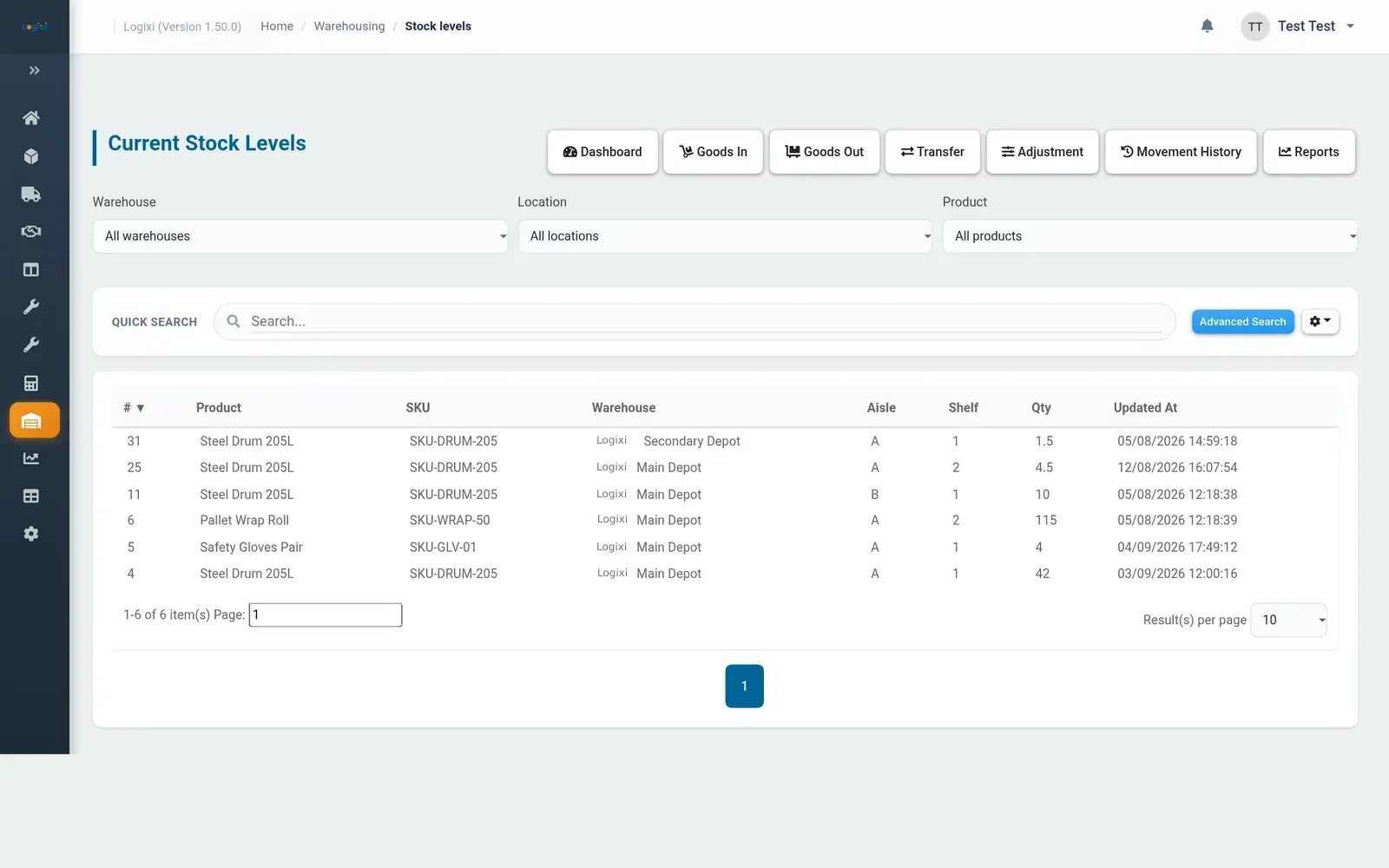
A warehouse management system (WMS) is software that records where stock is held and every movement in and out. Logixi tracks stock by warehouse, aisle and shelf, posts goods in, goods out, transfers and adjustments as permanent movements, values stock at cost, and checks every stock level against the movement ledger.
Key facts about Logixi Warehouse
- Locations are an aisle and shelf such as A01 — a-01, A 01 and A01 all mean the same shelf.
- Every change to stock is a permanent movement with a reason.
- Stock can never go below zero.
- All the lines on a form post together, or none do.
- Product and shelf QR labels print straight from Logixi.
- The reconciliation report checks every level matches the ledger.
Problem → outcome
What changes with Logixi Warehouse
Stock figures nobody trusts?
One ledger that always reconciles
Every change is a permanent movement with a reason, stock can’t go below zero, and the reconciliation report checks every level against the ledger behind it.
Paper pick lists and lost pallets?
Scan every shelf and product
Print QR labels for every location and product, then book goods in, out and between shelves with the Stock Scan app on any phone — even when the Wi-Fi drops.
Questions that need a report writer?
Ask your system, not your spreadsheet
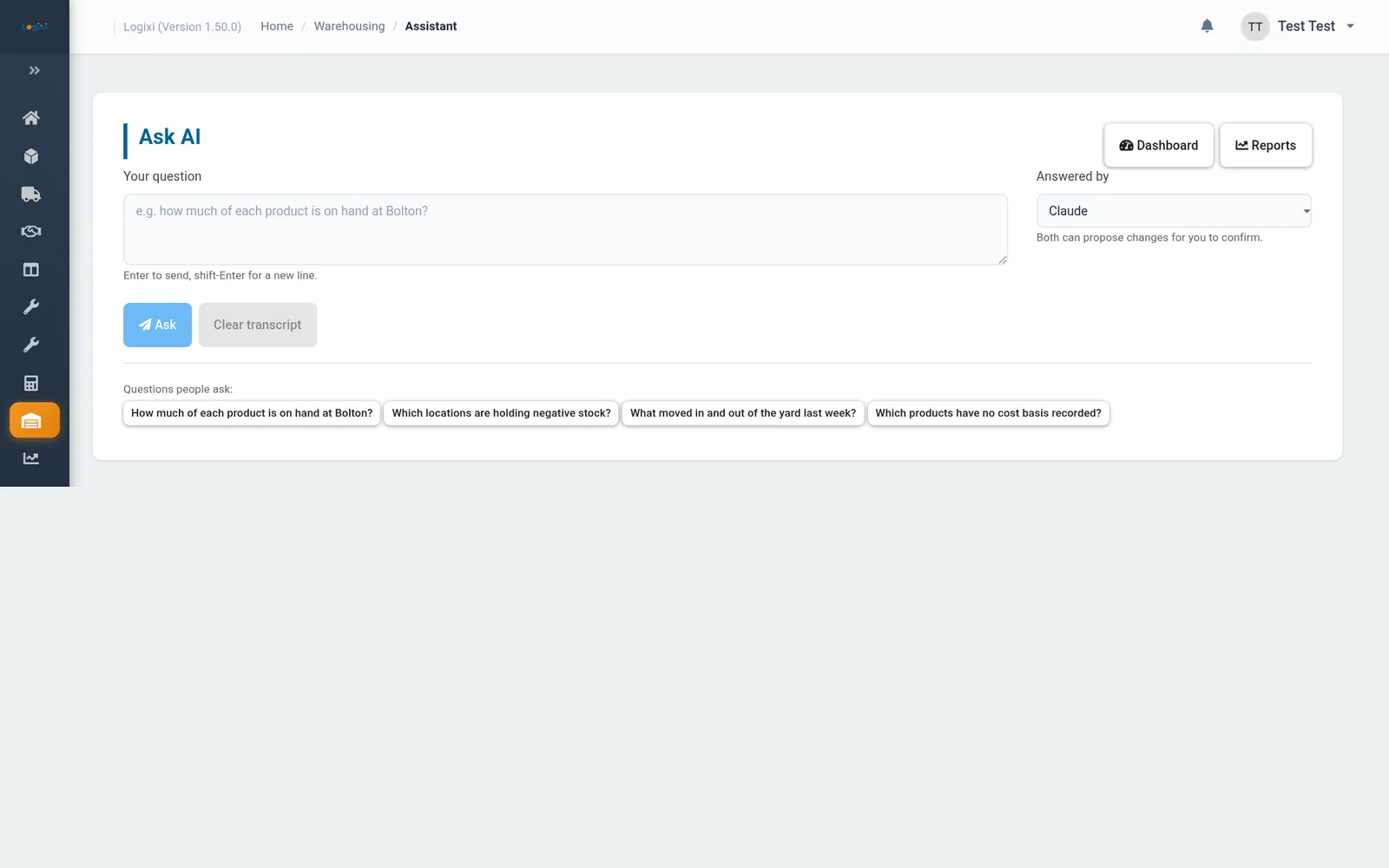
Type “How full is Bathgate?” or “What moved in and out of the yard last week?” and Ask AI answers from live Logixi data, showing which parts of the system it checked.
Product tour
See Logixi Warehouse in action
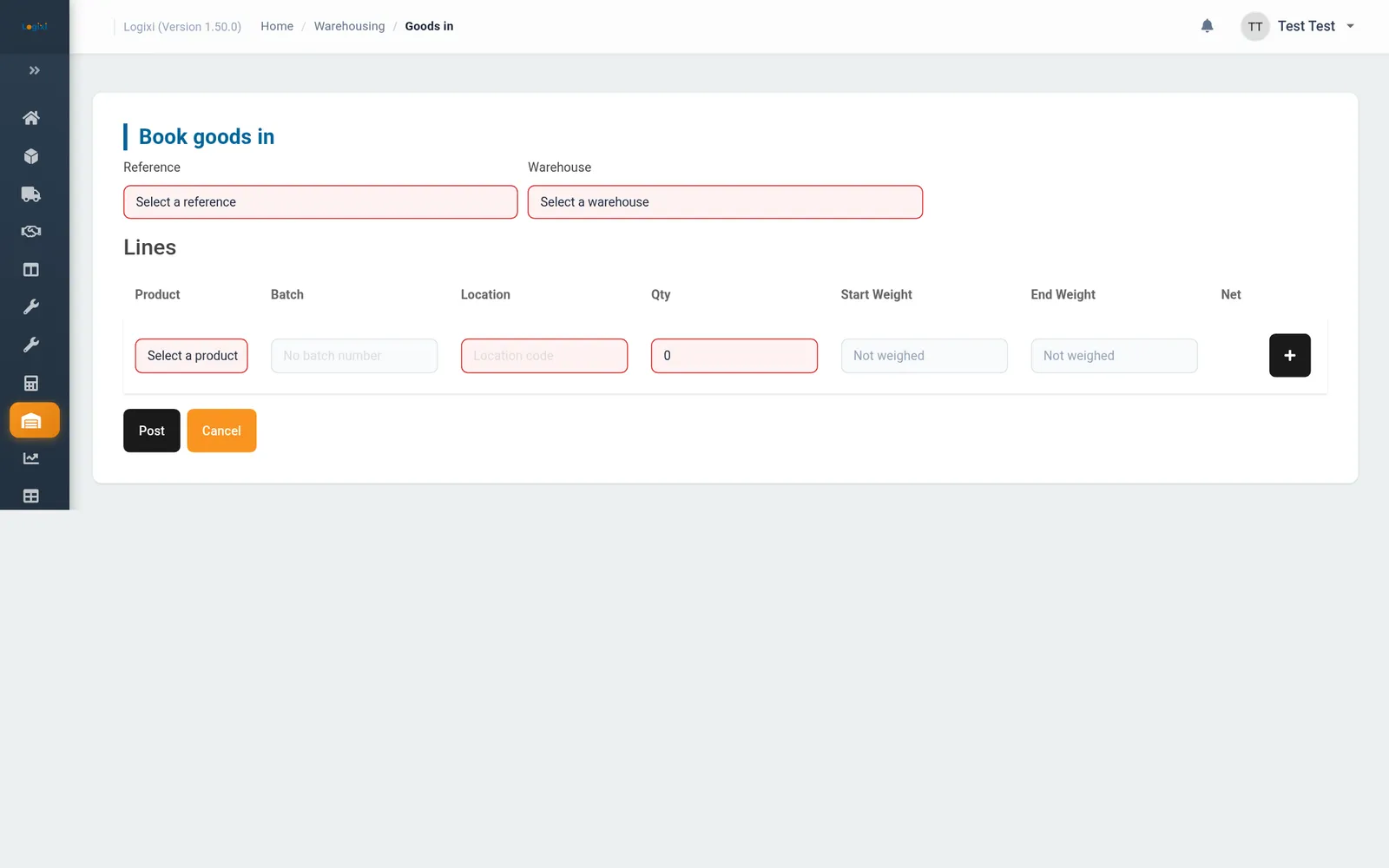
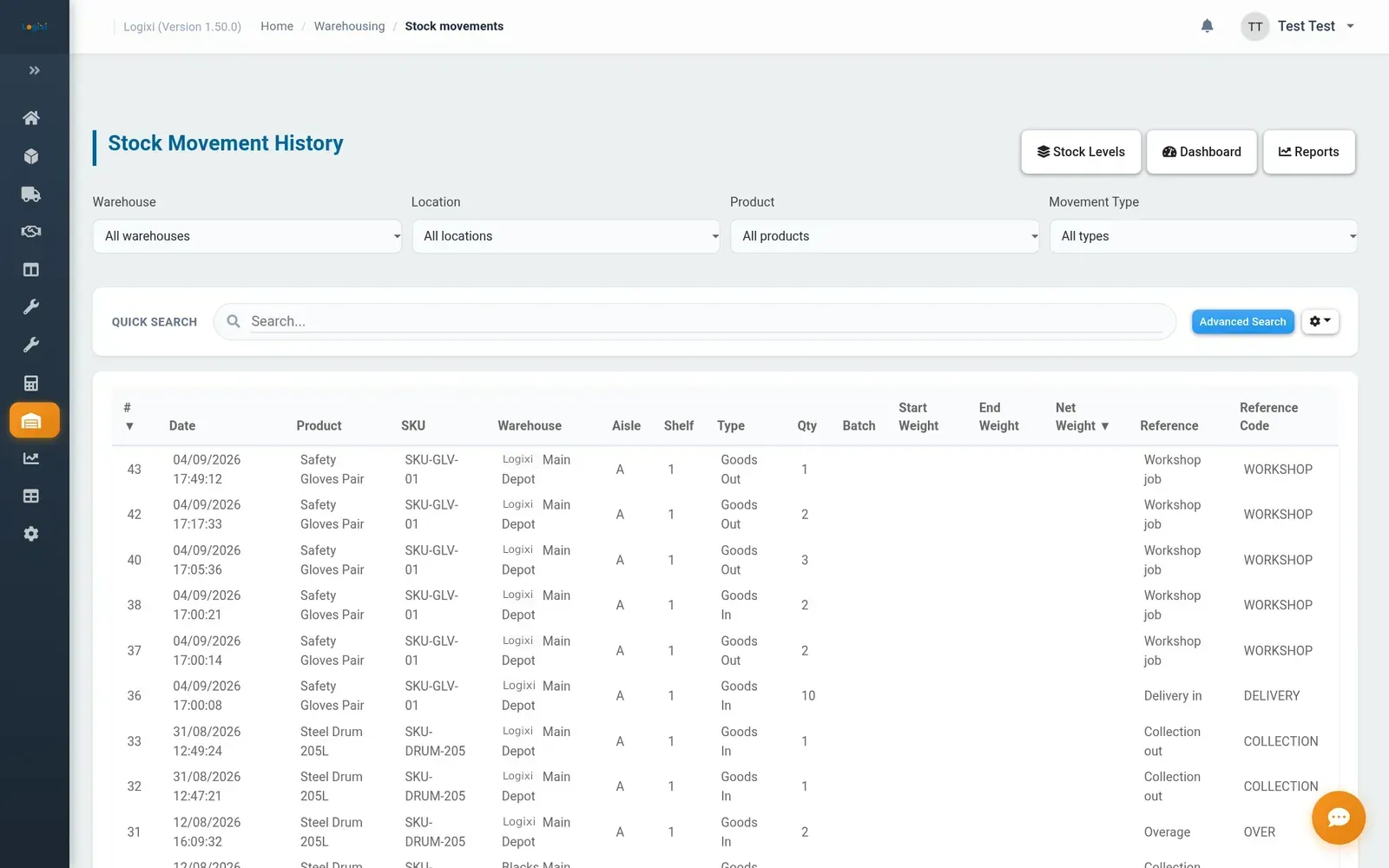
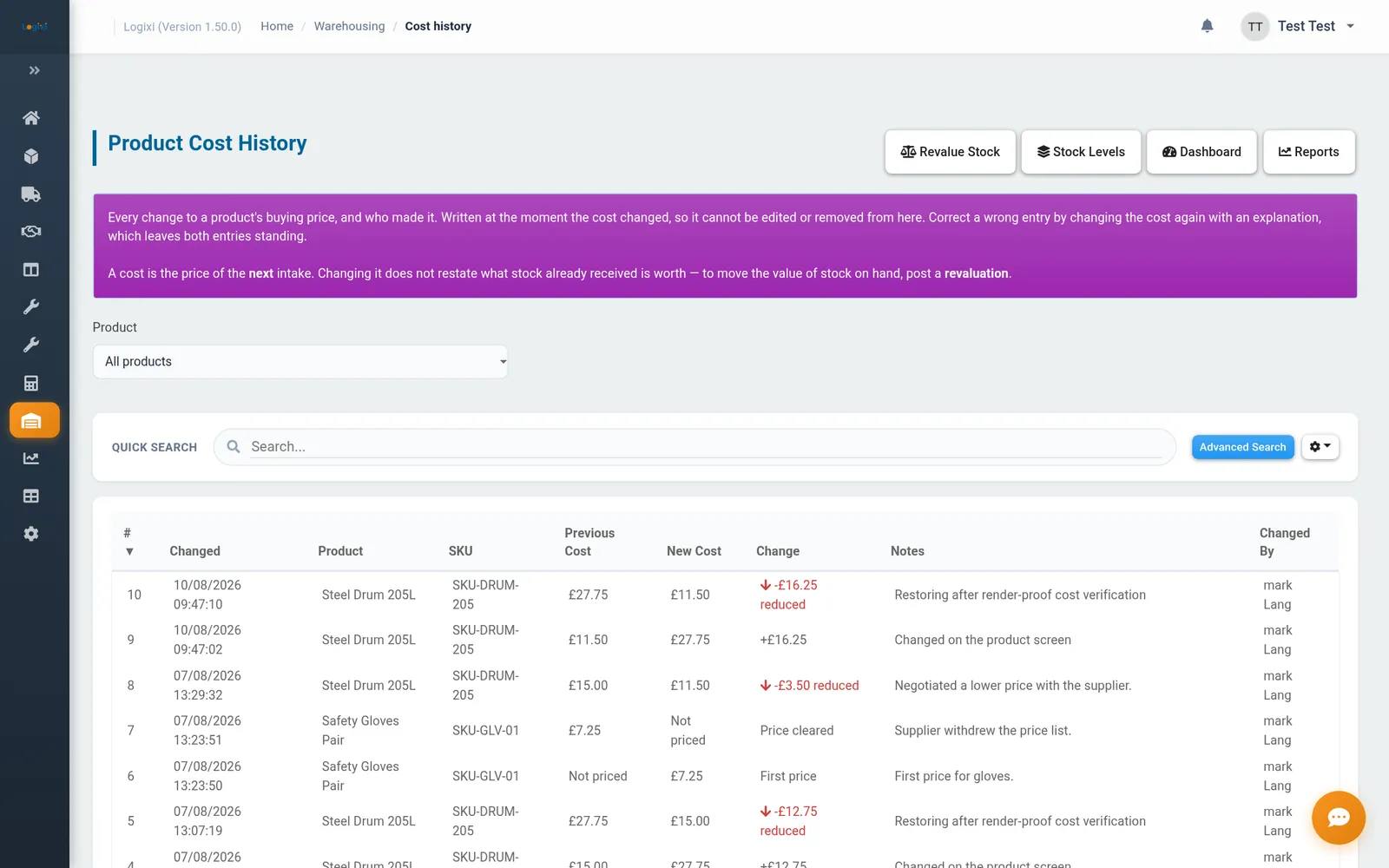
Real screens from Logixi — the same ones your team will use.
Logixi Warehouse screenshots

Features
Everything in Logixi Warehouse Management System
Goods in, out, transfers & adjustments
One form for every movement: pick the product, type or scan the location, enter the quantity, batch number and weights. Every line posts together, and shelf labels print as soon as you’re done.
Locations & QR labels
Set up warehouses and locations by aisle and shelf, then print QR labels for one shelf or a whole warehouse. Product labels print from the product record.
Scanner app
The Stock Scanner runs on iOS, Android or in the browser on any phone or handheld with a camera. Scan the product and the shelf, choose goods in, goods out or transfer, and confirm. Movements queue safely if the connection drops.
Permanent movement ledger
Movements can’t be edited or deleted — mistakes are corrected with an opposite movement. Each one carries a reference such as Delivery in, Order pick, Customer return, Stocktake or Damaged.
Batch traceability
Record optional batch numbers on any movement, with previous numbers suggested, and see where each batch went and what’s left of it.
Stock valuation
Stock is valued at cost. Revalue a holding without changing quantities, and see every cost change in Cost History with the old and new price, who changed it and when.
Warehouse dashboard
Total stock, products holding stock, locations in use, movements today, stock at cost and occupancy by warehouse — with a warning and audit trail when something needs checking.
Warehouse reports
Stock on Hand, Movement History, Adjustments, Stock Reconciliation, Batch Traceability and Slow Moving Stock (90 days by default), all exportable to CSV.
Ask AI
Ask “How full is Bathgate?” or “Which locations are holding negative stock?” and get answers from live Logixi data. It never changes anything until you press Confirm.
Scanner app
A warehouse scanner app on any phone
The Logixi Stock Scanner for iOS and Android turns any phone or handheld with a camera into a QR scanner for goods in, goods out and transfers.
- Scan the product label and the shelf label in either order.
- See what’s in stock on that shelf and what it will hold afterwards.
- Add a reference, batch number and weights as you go.
- An offline queue flags anything that might be sent twice.
App store listings coming soon — the apps also run in any phone browser.
Insights
AI, reports & dashboards for Warehouse
Ask AI
“How full is Bathgate?”
Plain-English answers from live Logixi data. It never changes anything until a person presses Confirm.
Reports
- Stock on Hand at cost
- Slow Moving Stock
- Stock Reconciliation & Batch Traceability
Plus the Report Builder for your own lists and totals.
Your dashboard
- Stock at cost
- Occupancy by warehouse
- Movements today
Customisable for each user and role.
Workflow
How it works
- Set up Create warehouses, aisle-and-shelf locations, products, groups and classes.
- Label Print QR labels for shelves and products and stick them up.
- Book in Scan or key goods in against a reference, batch number and location.
- Move & dispatch Transfer between shelves or warehouses and book stock out for collection or order picks.
- Reconcile Run stock reconciliation, slow-moving and batch reports, and correct with adjustments.
Why operators choose Logixi Warehouse
100%
reconciled to the ledger
The reconciliation report checks every stock level against the movements behind it.
Every
change audited
Movements are permanent, with a reason, a user and a time.
Any
phone becomes a scanner
Stock Scan runs in the browser and keeps working through Wi-Fi drop-outs.
FAQs
Questions about Logixi Warehouse
Do I need barcode or QR scanners for a warehouse management system?
Not with Logixi. The Logixi Stock Scanner runs in the web browser of any phone or handheld with a camera and can be added to the home screen as Stock Scan. It reads the QR labels Logixi prints for products and shelves, and handles goods in, goods out and shelf-to-shelf transfers.
Is there a warehouse scanner app for iPhone and Android?
Yes. The Logixi Stock Scanner app runs on iOS and Android phones or handhelds with a camera. Scan a product label and a shelf label, choose goods in, goods out or transfer, enter the quantity and confirm. If the Wi-Fi drops, movements wait in a queue and send automatically when the connection returns.
What is batch traceability?
Batch traceability means following a delivery of stock from the moment it arrives to wherever each part of it went. In Logixi, an optional batch number can be recorded on any movement, with previous numbers suggested, and the Batch Traceability report shows where each batch went and what’s left of it.
How do you value stock that belongs to customers?
Logixi values stock at cost: each product’s cost is applied when goods are booked in. The dashboard calls this Stock at Cost because much of the stock held belongs to customers. Authorised users can revalue a holding without changing quantities, and every cost change is recorded in Cost History.
What is a stock reconciliation report?
A stock reconciliation report checks that every stock level agrees with the movements behind it. Because every change in Logixi is a permanent movement, the report can prove the figures — you want to see “Every level matches the ledger.” Any mismatch is listed so it can be investigated straight away.
What happens if the warehouse Wi-Fi drops?
Movements are saved on the device and sent automatically when the connection returns. The Queue shows what’s waiting: Unconfirmed items may already be in Logixi, so you check before resending to avoid double counting, and Refused items show the reason so they can be corrected and scanned again.
How do you correct a stock mistake in Logixi?
Posted movements are permanent and can’t be edited or deleted, which keeps a complete audit trail. To fix an error you post an opposite movement — usually an Adjustment with a positive or negative quantity and a reference such as Stocktake, Damaged or Shortage / Overage.
One platform
Works with the rest of Logixi
Orders, vehicles, stock and invoices are shared across every Logixi product, and Ask AI can answer questions across all of them.
Logixi TMS
Transport Management System
Orders and price lists, a drag-and-drop transport timeline, a driver app with proof of delivery, two-stage job sign-off and invoicing that exports to Sage, Xero or your chosen accounting package.
Logixi Waste
Waste Collection System
DEFRA Digital Waste Tracking support, tips and grades, QR-coded containers, weighbridge and waste transfer notes, tip-ticket reconciliation and EWC / SEPA waste returns.
Logixi Workshop
Workshop Management
Defects raised from driver walkaround checks, a fitter timeline, parts from stock, inspection due dates, VOR control and workshop invoicing to the depot.